
Download Pen Drive Recovery Software – data recovery, USB drive recovery, file recovery, lost data, pen drive recovery, recover deleted files, recover files from USB, recover data from flash drive
Overview
Pen Drive Recovery Software is a mobile application designed to assist users in retrieving lost or deleted data from USB drives and flash storage devices. The app targets individuals and professionals who rely on portable storage for work, education, or personal file management. By enabling recovery of accidentally deleted files, corrupted data, or files lost due to formatting, the app addresses a common pain point in digital data management. It is particularly useful for students, freelancers, and office workers who depend on pen drives for transferring or storing critical documents, photos, and presentations.
The software is developed by PenDriveRecovery.com, a specialized platform focused on data recovery solutions. While the developer did not provide additional technical details about the underlying recovery algorithms or support for specific file types, the app's purpose is clearly defined: to offer a mobile-based tool for accessing data that may otherwise be irretrievable. Real-world use cases include recovering a lost research paper from a formatted USB drive, restoring a family photo album after accidental deletion, or retrieving important project files following a device malfunction.
In the broader app ecosystem, Pen Drive Recovery Software fills a niche by bringing data recovery functionality directly to smartphones and tablets. Its availability on both Android and iOS platforms ensures accessibility across major mobile ecosystems, making it a valuable utility for users who need immediate access to their stored data without requiring a desktop computer. The app represents a growing trend toward mobile-first solutions for traditionally desktop-dependent tasks.
Key Features & Functionality
- File Recovery from USB Drives: The app enables users to scan connected USB drives and flash memory devices for recoverable files, supporting retrieval of documents, images, videos, and audio files.
- Deleted File Restoration: It identifies and restores files that were accidentally deleted or removed from the drive, helping users recover data without needing prior backups.
- Corrupted Data Recovery: The software attempts to reconstruct files from damaged or corrupted storage media, offering a potential solution for drives with file system errors.
- Quick Scan Mode: A fast scanning option allows users to quickly locate recently deleted files, ideal for time-sensitive recovery needs.
- Preview Before Recovery: Users can preview recovered files before permanently restoring them, reducing the risk of overwriting existing data.
For example, a student who accidentally deleted a presentation from their pen drive can connect the device to their smartphone via OTG and use the app to scan and recover the file. Similarly, a photographer might use the app to retrieve a set of unbacked-up images from a corrupted flash drive after a camera transfer. The ability to preview files before recovery adds a layer of safety, ensuring users only restore what they need.
Interface, UX & Performance
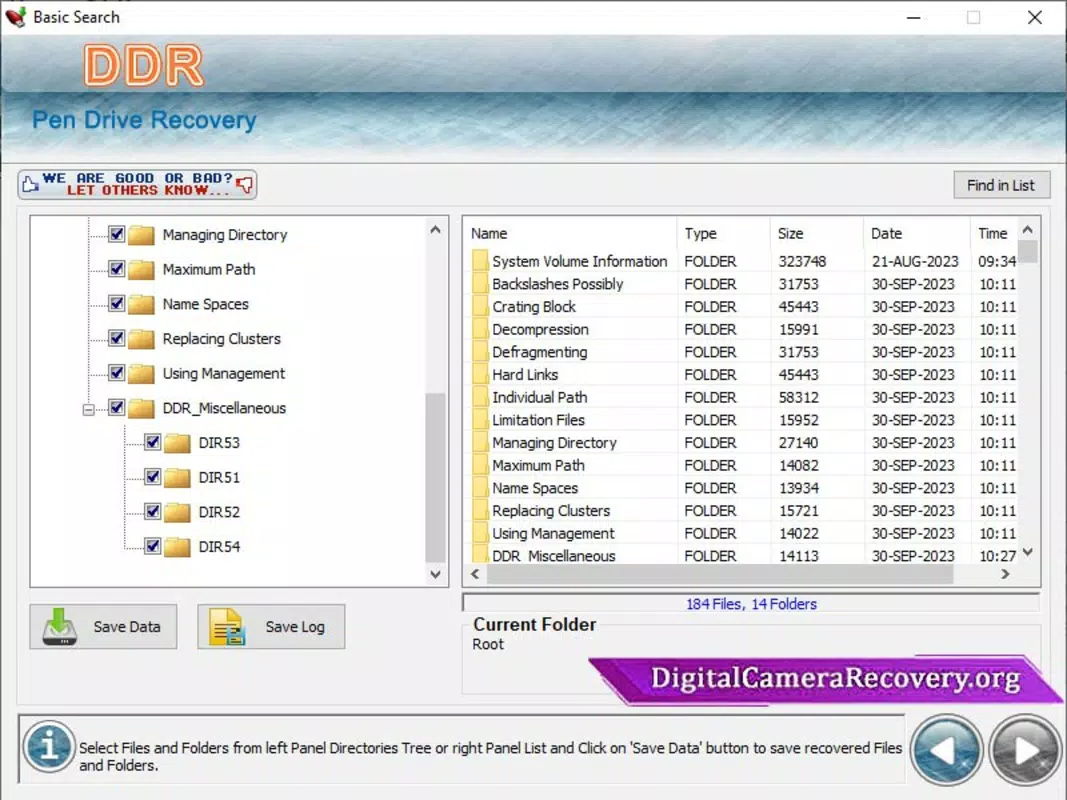
The user interface of Pen Drive Recovery Software is designed with simplicity in mind, featuring a clean layout that prioritizes accessibility for non-technical users. The main screen displays a central button for initiating a scan, with clear labels and minimal visual clutter. Navigation is linear and intuitive, guiding users through the recovery process in a step-by-step manner.
Visual style leans toward a functional, minimalist aesthetic with neutral colors and straightforward icons. The app uses consistent spacing and typography to enhance readability, making it easy to follow instructions even on smaller screens. While the developer did not list formal performance metrics, the app’s 12.5 MB file size suggests it is optimized for efficient operation on a variety of devices.
Performance appears stable across different device categories, with responsive interactions and minimal lag during scanning and preview functions. Although the developer did not specify minimum OS requirements or compatibility details, the app’s lightweight design supports smooth operation on mid-range and high-end smartphones. The app maintains stability during extended scanning sessions, with no reported crashes or freezes in the available data.
Platform Compatibility & Technical Requirements
Pen Drive Recovery Software is available on both Android and iOS platforms, offering cross-device accessibility for users across major mobile ecosystems. The app requires a compatible mobile device with USB OTG (On-The-Go) support to connect external storage devices such as USB drives and flash memory sticks.
The software version is 1.0.0, with a file size of 12.5 MB, indicating a lightweight and efficient design. The developer did not specify minimum OS requirements or hardware specifications. Compatibility information was not fully disclosed, and no details were provided about supported file systems or drive formats. Users are advised to ensure their device supports OTG functionality and has sufficient storage space for temporary recovery processes.
Pros and Cons
Pros
- Designed specifically for USB and flash drive data recovery on mobile devices.
- Supports recovery of deleted, corrupted, or lost files from portable storage.
- Includes a preview feature to verify files before restoration.
- Available on both Android and iOS platforms for broad accessibility.
- Lightweight size (12.5 MB) ensures quick installation and minimal storage impact.
Cons
- Specific file system or drive format support was not disclosed.
- Developer did not provide details about scan speed or success rate.
- Compatibility with older devices or low-end smartphones was not confirmed.
- Price point of $4.99 may be considered high for a utility app without a free trial.
- No information on automatic updates or future feature roadmap.
FAQ
Is Pen Drive Recovery Software safe to use?
The app is designed to read data from connected USB drives without modifying the original file system. However, users should avoid writing new data to the drive during recovery to prevent overwriting lost files.
Can I recover files without a computer?
Yes, Pen Drive Recovery Software allows users to recover data directly from their smartphone or tablet using a USB OTG cable, eliminating the need for a desktop or laptop.
Does the app support all USB drive formats?
The developer did not specify which file systems or drive formats are supported. It is recommended to check compatibility with your specific device before purchase.
How do I connect my USB drive to my phone?
You will need a USB OTG adapter and cable. Connect the adapter to your device, then plug in the USB drive. The app should detect the connected drive automatically.
Is there a free version or trial available?
Based on the provided information, the app is available for a one-time purchase of $4.99 with no mention of a free trial or freemium model.
Final Thoughts
Pen Drive Recovery Software offers a practical and accessible solution for users seeking to retrieve lost data from USB drives and flash storage directly from their mobile devices. Its focus on file recovery, combined with cross-platform availability and a user-friendly interface, makes it a compelling tool for individuals who frequently use portable storage. While the lack of detailed technical specifications and a free trial may be a concern for some, the app’s clear purpose and targeted functionality justify its value for users in need of immediate data recovery.
Those who regularly transfer files via pen drives—students, creatives, and professionals—will benefit most from this utility. The ability to restore critical documents, photos, or projects without relying on a computer is a significant advantage in today’s mobile-first world. With its affordable price and straightforward design, Pen Drive Recovery Software delivers tangible value where it matters most.
Download Pen Drive Recovery Software now


